
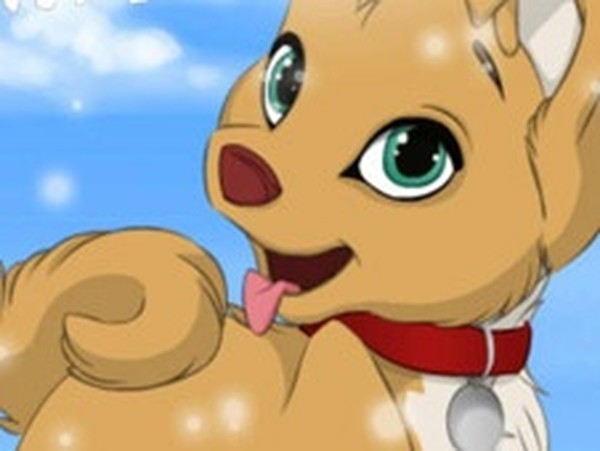
Puppy Designer: Pet Creator Game
Reviews
Puppy Designer is a charming and stress-free game that lets you create your perfect virtual puppy. The simple interface makes it easy to customize every detail, from ear shape to tail color. The wide variety of accessories adds a fun layer of personalization. It is a wonderful, family-friendly activity that encourages imagination and provides a calming creative outlet.
About this game
Game Introduction
Puppy Designer is a creative pet customization game where players can bring their ideal canine companion to life. The core objective is to design a unique puppy by selecting and combining various visual features. Players start with a blank canvas and use a simple interface to choose the shape and color of different body parts, including the nose, mouth, ears, tail, fur, legs, and torso. The game offers a wide range of shapes and colors for each part, allowing for countless combinations. After the base design is complete, players can add accessories such as collars, pet clothing, shoes, or even whimsical wings to give their puppy extra personality. Finally, a background can be selected to complement the creation. This game is designed to be a relaxing and joyful experience, encouraging creativity without any time pressure or competitive elements. It is suitable for children and anyone who enjoys artistic expression and animal-themed activities. The simple controls and open-ended design make it easy for players of all ages to enjoy.
How to Play
To begin creating a puppy, players use a series of buttons or controls typically located at the top of the screen. Each control corresponds to a different body part, such as the nose, mouth, ears, tail, fur, legs, and torso. By clicking or tapping these controls, players can cycle through various shape options and color choices for that specific part. This allows for detailed customization of the puppy's appearance. Once the base design is satisfactory, players can move on to the accessory section. Here, they can add items like collars, clothing, shoes, or wings to enhance the look. The final step is to select a background that matches the puppy's style. The game encourages free experimentation, and players can easily change any element at any time to try new combinations.
Game Features
The game offers a fun, creative, and stress-relieving experience that is family-friendly. It encourages imagination and relaxation by removing any time limits or scoring systems. The interface is designed to be intuitive and easy to use, making it accessible for young players and beginners. With many options for shapes, colors, and accessories, each play session can result in a completely different puppy. The game provides a calm and positive outlet for creativity, allowing players to focus on the joy of design without pressure.
Tips for Success
Take your time exploring each customization option to find your favorite combinations. Try mixing different shapes and colors for each body part to create a truly unique puppy. Experiment with accessories to add personality; a simple collar or a pair of wings can completely change the look. Don't forget to choose a background that highlights your creation. Most importantly, have fun and let your imagination guide you.


Comments
Sign in to leave a review
No account? Create one
No comments yet.