

Scooby Doo Creative Coloring Art
Reviews
Scooby Doo Creative Coloring Art offers a safe, ad-free environment for children to explore their artistic side. With six images, colored pencils, markers, and stickers, it provides hours of creative fun. The game is easy to navigate, supports fine motor skills, and features beloved cartoon characters. Perfect for toddlers and kindergarteners.
About this game
Game Introduction
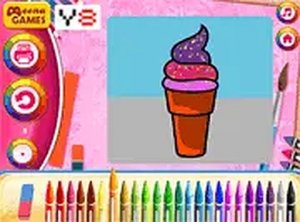
Scooby Doo Creative Coloring Art is a delightful online activity where children can express their creativity. The game offers six black and white images featuring beloved Boomerang characters. Players use colored pencils to fill in outlines, add smiley-faced markers in various colors, and place stickers of Scooby-Doo characters, the Mystery Machine van, or fun emojis. This activity combines coloring, decorating, and sticker art to produce colorful and imaginative pictures. It is a safe, family-friendly pastime that supports artistic expression and the development of fine motor skills.
How to Play
To begin, choose one of the six black and white images. Use the colored pencils located at the top of the screen to paint the image by clicking on the area you wish to color. Next, select markers with smiley faces from the right side and place them on the picture. Finally, grab stickers from the left side, which include Scooby-Doo characters, the van, and emojis, to add extra fun. Mix and match these tools to create unique and vibrant artwork. The game is easy to navigate and designed for young children.
Game Features
Boosts creativity and imagination. Encourages cognitive skills through color selection and decoration. Develops fine motor skills with clicking and dragging. Offers a variety of tools: pencils, markers, and stickers. Features familiar Scooby-Doo characters. Safe and ad-free environment for kids.
Tips for Success
Experiment with different color combinations to make each picture unique. Use stickers to tell a story or add personality to the scene. Try layering markers and stickers for a more detailed look. Take your time and enjoy the process—there is no rush. Practice using the click-and-drag controls to improve precision. Most importantly, have fun and let your imagination guide you.




Comments
Sign in to leave a review
No account? Create one
No comments yet.